
April 2026 Blogs

April 2026 Blogs

April 2026 Blogs, Blog

What’s Hiding in Your IT Closet?
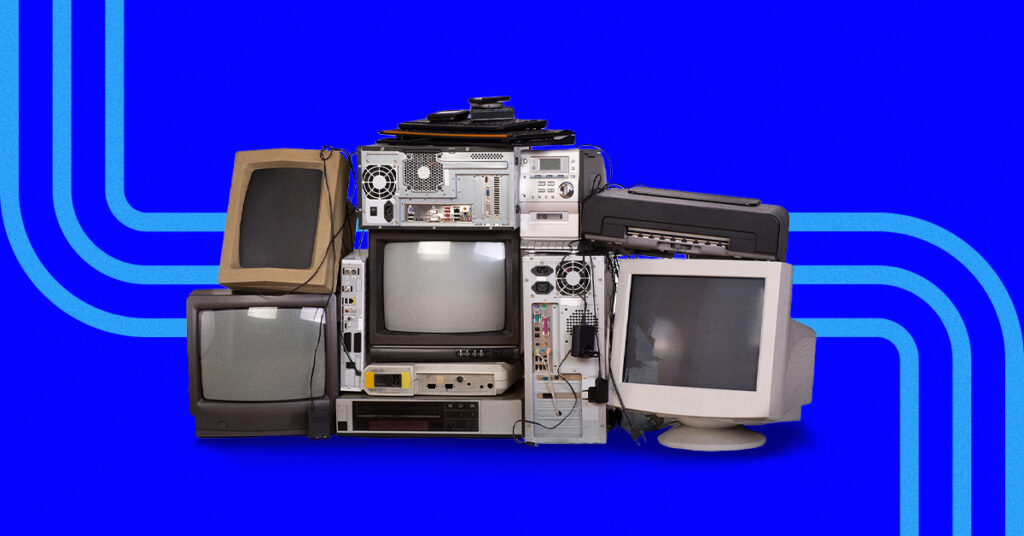
When was the last time you opened that one closet you try not to think about?

You know the one. The door closes fine and nothing spills out when you walk by, but you don’t open it unless you absolutely have to.

Inside, there’s a mix of things you’re not sure what to do with but “need” to hold on to. It’s where you throw random things when company is coming rather than put away. It’s not overflowing. It’s just crowded. And because its contents are out of sight, they’re also out of mind.

That’s exactly how IT clutter builds in most businesses. Everything appears tidy from the outside, but inside it’s a disorganized mystery.

How IT clutter builds without anyone noticing

IT clutter grows without anyone noticing: A new tool gets added to solve a problem. Another system comes in as the business grows. A quick workaround helps everyone move faster during a busy stretch. An older application stays in place because no one wants to risk removing something that still appears to work.

Each decision makes sense in the moment, but nothing is viewed holistically. Because nothing is visibly broken, there’s no pressure to simplify. Over time, small, reasonable decisions turn into a web of complexity.

Messy IT isn’t a sign of failure. In many cases, it’s a sign your business has been moving fast.

What’s commonly hiding in the IT closet?

The IT closets we’re referring to in this post are metaphorical, not literal, closets, and they look surprisingly similar.

You’ll find:

  • Tools no one really uses anymore
  • Multiple systems doing the same job
  • Old software that’s “always been there”
  • Former employee access that was never removed
  • Quick fixes that quietly became permanent

None of this feels dramatic, making it easy to ignore.

If this sounds familiar, you’re not alone.

Why hidden IT clutter slows the business down

Clutter doesn’t always cause an obvious breakdown. Instead, it causes friction.

People aren’t sure which system to use. Decisions take longer because information is scattered across too many places. Time is wasted maintaining tools that don’t add much value. Costs creep up in small ways that don’t trigger alarms.

Individually, these issues feel minor, but together, they add weight to everyday work.

Clutter doesn’t break the business. It quietly weighs it down.

The risk of never cleaning it out

The longer clutter sits, the harder it becomes to deal with.

Outdated systems become harder to support over time. Tools that were added for a specific purpose are eventually forgotten until something changes and they suddenly matter again. Workarounds stick around long after anyone remembers why they were created, and now the business depends on them.

Ignoring the mess doesn’t stop it from growing. It just makes future cleanups more complicated.

When systems and processes aren’t regularly reviewed, surprises become more likely, and surprises don’t happen at convenient times.

Spring cleaning your IT isn’t about starting over

Cleaning out your IT closet doesn’t mean ripping everything out and starting from scratch.

It’s about decluttering with intention. Keep what works and organize what’s useful but also know when you need to retire or replace what no longer serves your business.

The goal isn’t disruption. It’s clarity.

Making room for growth

A clean IT environment makes your workplace feel different. Your team knows where things live. Systems support decisions instead of slowing them down. Changes feel manageable instead of risky. Growth feels intentional rather than reactive.

When clutter is under control, your business has room to grow.

Start with visibility

You don’t have to make changes right away.

Start by opening the door. Take a closer look at what’s in your IT environment — see what’s being used, what’s overlapping and what’s been forgotten.

Clarity always comes before change.

If you’d like a second set of eyes, we can explore together in a short discovery call. We’ll help you identify what’s worth keeping, what can go and what’s quietly getting in the way.


April 2026 Blogs, Blog

The ROI of Decluttering Your Tech

You’re getting ready for a party and you want that one jacket that fits perfectly and makes you feel confident.

But when you open your closet, you can’t find it because it’s buried under too many other things. So, you do what feels easiest. You buy another jacket. It solves the immediate problem, but it doesn’t fix the root cause — the mess in your closet.

Businesses often face the same dilemma when thinking about their return on investment (ROI) in technology.

When efficiency slips or results stall, the reflex is to invest in something new, another tool, another platform, another promise of improvement. The assumption is that greater capability will naturally yield higher returns.

Over time, though, systems accumulate the way clothes do. Each purchase made sense when it was added and each one still technically gets the job done, so nothing gets removed.

From the outside, the tech setup looks strong. Inside, the experience feels heavier than it should. People spend time deciding where work belongs, simple tasks take longer than anticipated and even small fixes require more coordination than they should.

ROI isn’t always found in the next purchase. Sometimes it’s uncovered by clearing what’s in the way.

Why decluttering delivers real ROI

Technology clutter rarely causes dramatic failures. Instead, it creates small and persistent delays that are easy to overlook at first.

It shows up as extra steps, minor interruptions and low-level confusion that drains time and attention.

Decluttering changes that dynamic. A simpler, more intentional technology environment allows work to move with fewer obstacles.

People know where to go and which system to rely on. Costs become easier to track and problems surface earlier while they’re still manageable. Planning feels more grounded because there are fewer hidden dependencies.

This is where technology ROI expands beyond financials. Here are five areas where reducing complexity has measurable ROI.

ROI area #1: Time reclaimed

When tools overlap or workflows aren’t clear, people lose time in small ways. They switch between systems, double-check information and create workarounds just to get through the day.

Decluttering removes those extra steps.

When people know exactly where work happens, tasks move faster, onboarding becomes easier and projects flow more smoothly.

A few minutes saved per person each day quickly add up to hours across the business. Time reclaimed compounds.

ROI area #2: Reduced costs

Technology clutter often hides quiet expenses. Unused licenses, overlapping tools and systems that stay in place long after they’ve outlived their value.

Then there are the surprise costs that come from outdated or poorly understood systems.

Decluttering brings spending back under control. You stop paying for what you don’t need. You avoid emergency fixes. Costs become clearer and more predictable. Money stops leaking in places that no longer add value.

ROI area #3: Lower risk and fewer surprises

Complex systems create uncertainty because it isn’t always clear how one part connects to another. When dependencies aren’t clear, even small changes feel risky and problems take longer to resolve.

Simplifying the environment reduces those blind spots. With fewer overlapping systems, ownership becomes clearer and day-to-day operations feel more under control.

Predictability is one of the most overlooked returns on technology investments, yet it’s often one of the most valuable. When systems are predictable, planning feels safer and decisions come faster.

ROI area #4: Better decisions and growth readiness

Leaders make better decisions when they can see how everything fits together. When your technology environment feels confusing, scaling feels risky. Hiring feels more complicated. Expanding operations feels uncertain because you aren’t sure how systems will respond under pressure.

That uncertainty slows progress.

Decluttering restores confidence and enables growth instead of slowing it down. When you understand what your business relies on, you can plan ahead with fewer doubts.

ROI area #5: Happier, more productive teams

Technology shapes the way a team experiences its work each day. When systems are cluttered, frustration builds as focus shifts from meaningful tasks to the effort of navigating tools. Work gets interrupted, attention splinters and energy is spent managing complexity instead of creating value.

When technology facilitates action, teams are free to do their best work. And that freedom is one of the most powerful returns any business can achieve.

What decluttering your tech is and isn’t

Decluttering your technology isn’t a rip-and-replace project. It doesn’t mean starting over or disrupting what already works.

It’s about stepping back and reviewing what you have, simplifying where systems overlap, organizing what remains and removing what no longer serves the business.

Small improvements can deliver meaningful returns. When tools are clearer and better aligned, work becomes easier and decisions become more confident.

Decluttering is about clarity, not disruption.

Where the ROI really starts

Every spring cleaning endeavor starts with opening the closet and seeing what’s inside. Technology ROI works the same way. The first step isn’t buying something new; it’s gaining visibility into what’s already there.

When leaders take that closer look, they often discover that the strongest returns come from simplifying, not stacking on more. You can’t measure the return on clutter you haven’t cleaned up yet.

If you’d like an outside perspective, schedule a 10-minute discovery call and see where simplification can unlock measurable ROI in your business.

April 2026 Blogs, Blog

The Hidden Advantage of Having an IT Guide

If you’re like most business leaders, you already know your IT environment could benefit from a clean-up.

It’s things like the software subscription you’re still paying for even though you’re not sure anyone still uses it, account access that should have been removed when a former employee moved on, or the processes your team manages across multiple systems and a spreadsheet because “that’s just the way we do it.” Nothing is on fire, but the environment feels heavier than it needs to.

As your business has grown, your technology has grown with it: One tool, one access change, one workaround at the time. And now, even small adjustments feel risky because it’s difficult to tell what connects to what.

That’s usually where IT cleanup stalls. Not because you don’t care or because it isn’t important. It’s because making changes without full visibility feels like guessing, and guessing with your technology doesn’t feel safe.

Why IT is hard to clean without help

Decluttering a desk is straightforward. You can see what’s in front of you.  Unfortunately, IT doesn’t work that way.

In most businesses, IT is spread across people, vendors and systems. Some pieces live with a third party. Others sit with an internal admin who’s wearing multiple hats. Decisions may have been made years ago by someone who’s no longer there. Passwords are saved in different places, and ownership is implied instead of documented.

Over time, the environment becomes a collection of “things that work” rather than a clearly understood setup.

That creates a few common challenges:

  • No complete picture of what exists: You may know the major systems, but not the plug-ins, licenses and integrations around them.
  • Uncertainty about what’s safe to remove: What looks unused may still support a critical workflow.
  • Fear of breaking something essential: When the consequences are unclear, doing nothing feels safer.

You can’t clean what you can’t clearly see or understand. Most teams don’t have the time to build that clarity while also running the business.

The risk of guessing what to keep or remove

Spring cleaning shouldn’t feel like trial and error, but that’s what it becomes when visibility is low.

Remove the wrong access or application and the impact can be immediate. Even short disruptions burn time and erode customer trust.

At the same time, leaving outdated systems in place creates ongoing risk:

  • Old software is harder to support and more likely to become a security liability over time.
  • Unused accounts create quiet entry points that no one is actively monitoring.
  • Redundant tools inflate costs and complicate training.
  • Processes drift as people invent their own ways to work because no one’s sure what the “right” system is.

This is where many businesses get stuck. There’s awareness, but not enough ownership or documentation to act decisively. So, the clutter stays because the risks of action feel unclear.

A good cleanup doesn’t rely on courage. It relies on clarity.

What an IT service provider brings to the process

The right IT service provider doesn’t show up with a pitch deck and a list of tools. They show up as a guide.

Decluttering IT is more about holistic decision making than about technical work. Someone needs to see the full environment, ask the right questions, understand how everything connects and reduce risk while changes happen.

A strong provider brings the following advantages:

An objective outside perspective
Internal teams get used to what’s “normal.” An outside partner can spot duplication and hidden risk faster.

Experience across many businesses
They’ve seen what causes friction as teams grow, what breaks during transitions and what gets missed when roles change.

A structured, proven approach
A good provider knows that cleanup works best when it’s methodical. Inventory first. Usage and access review next, followed by a clear review of how everything connects. Then, a phased plan to retire, consolidate or replace. Nothing changes without a reason.

Confidence that nothing critical is overlooked
The goal isn’t speed. It’s control. A good partner documents what’s there and protects continuity while changes are made.

Experience turns cleanup into clarity. Clarity turns decisions into progress.

Why this matters for growing businesses

Growth exposes what’s been quietly piling up.

More employees mean more access to manage. More customers mean more data to protect. More services mean more systems that need to work together. What worked for 10 employees can strain at 30.

An organized and well-managed IT environment supports scaling by removing uncertainty. When your environment is organized, teams know which systems to use, maintenance becomes simpler and changes feel predictable instead of risky. Leaders can make decisions without wondering if the foundation will hold.

When clutter is reduced and ongoing management is in place, growth becomes smoother. Your environment stops being something you work around and starts being something you rely on.

Start with visibility and guidance

You don’t need a dramatic overhaul to get started. The first step is visibility.

It starts with understanding what you have, who owns it, who can access it, what overlaps and what’s quietly creating drag. Once that picture is clear, the next steps become more obvious and manageable.

If you’d like a low-pressure way to begin, bring in an IT partner like us as a guide. We can help you see what’s really there, and identify what’s worth keeping, what can be retired and what should be organized before it becomes a bigger problem.

The advantages of having an IT guide is simple: clarity you can trust, decisions you can make with confidence and an environment that’s ready for what’s next.

Schedule a discovery call to take the first step toward a clearer, more manageable IT environment.

April 2026 Blogs, Blog

Automation Shortcuts That Save Time and Money

A partner at a midsize accounting firm noticed something odd on a workload report. One of their senior team members was logging nearly six hours a week moving client data from one system to another.

Six hours a week doesn’t sound dramatic until you do the math. That’s more than 300 hours a year. Nearly two months of workdays.

When the firm automated that step, no one lost their job. Instead, they gained nearly a full day each week to serve clients, respond faster and strengthen customer relationships.

The uncomfortable truth is that most businesses have a version of this hiding in plain sight. Not because they lack technology. But because they’re tolerating manual work no one has challenged.

Automation doesn’t have to mean a massive system overhaul, yet it’s often perceived as complex or designed only for companies with larger budgets and internal IT teams.

The truth is that the automations that pay off most are small practical shortcuts that remove everyday friction.

But there’s a catch: Automation amplifies whatever system you already have. If your processes are unclear or your tools aren’t connected, it can multiply confusion instead of removing it.

Done right, automations make work lighter, not more complicated.

Where time and money slip away

If you traced your team’s day from start to finish, how much of it would be spent on work that doesn’t need to exist?

In many organizations, time doesn’t disappear in dramatic failures. It slips away in ordinary moments.

By midafternoon, someone has already entered the same client information twice. A new hire is waiting on access because onboarding steps live in different places. An approval request is sitting in an inbox, unnoticed.

Individually, they seem minor. Together, they slow down the momentum, increase payroll costs and pull skilled employees away from work that drives the business forward.

Because none of this shows up on a report, leadership often doesn’t see the cost. But it happens every day. This is where automation can move the needle.

Automation shortcuts that pay off

Automation delivers the strongest return when it targets work that shouldn’t require skilled attention in the first place.

Simple, repeatable tasks often consume more time than you realize. When those tasks are streamlined, the relief is immediate.

The goal isn’t to automate everything. It’s to eliminate the work that creates daily drag.

These aren’t shortcuts in the sense of cutting corners. They’re smart decisions about where to focus first.

Shortcut #1: Eliminate duplicate data entry

If your team is entering the same customer or vendor information in more than one place, you’re absorbing hidden costs. Manual re-entry doesn’t just consume time, it introduces errors and forces people to double-check information later.

When systems share data automatically, you reduce repetition and increase accuracy in one move.

Business impact: You reclaim billable hours, reduce correction work and make decisions based on cleaner information.

Shortcut #2: Streamline common internal requests

Think about how often someone pauses their work to handle a password reset or approve access. These interruptions feel small, but they fragment focus throughout the day.

Simple automation allows those requests to move forward without constant manual attention.

Business impact: You improve response time, reduce internal friction and free up skilled employees for higher-value work.

Shortcut #3: Automate onboarding and offboarding

Onboarding should be structured and predictable. Offboarding should be thorough and timely. When either process relies on memory or scattered checklists, gaps appear.

Automation ensures the right actions happen automatically and consistently.

Business impact: You strengthen security, reduce administrative overhead and help new hires become productive sooner.

Shortcut #4: Replace manual monitoring with smart alerts

If someone is regularly checking reports to confirm everything is running properly, that’s time spent waiting for something to go wrong.

Smart alerts shift the focus. Instead of watching systems, you’re notified when attention is required.

Business impact: You reduce wasted monitoring time while improving your ability to respond quickly to real issues.

Shortcut #5: Standardize repetitive processes

Handling routine tasks differently each time creates inconsistency that eventually affects customers.

Automation reinforces a clear process so that the same steps happen the same way every time.

Business impact: You gain predictability, reduce training strain and lower the risk of avoidable mistakes.

How to spot the right automation opportunities

You don’t have to become an automation expert to notice what’s slowing down your business.

In most organizations, the right automation opportunities are hiding in plain sight. They show up as unnecessary delays, repeated frustrations and small manual mistakes that require cleanup later.

If you’re not sure where to start, ask yourself a few questions:

  • Where does work unnecessarily slow down?
  • What tasks frustrate employees the most?
  • Where do mistakes happen because work is handled manually?

The answers usually point to repeatable processes that follow clear rules. Those are the safest and most valuable places to introduce automation.

The goal is to remove unnecessary effort, not add technology for technology’s sake.

Why an IT guide makes the difference

When your IT environment is organized, automation becomes a practical improvement instead of another project to oversee.

The real challenge isn’t how to automate, it’s knowing what to automate. Spotting the right opportunities matters more than understanding the mechanics.

That’s why experience beats a software demo. The right IT guide doesn’t start with tools, they start with clarity. They look at how work flows through your business, identify where manual effort creates drag and simplify systems before recommending automation.

Because automation should reduce friction, not multiply it.

Automation should save time, not create more work

Automation isn’t about transformation for its own sake. It’s about removing the quiet inefficiencies that cost time and money every day.

The best shortcuts don’t shout. They work quietly. They cut duplicate steps, reduce interruptions and keep small errors from becoming big ones.

But none of that works without a clean IT foundation. That’s why bringing in the right partner early matters. The earlier you start, the easier it is to spot hidden inefficiencies, avoid expensive rework and build automation on a foundation that’s ready for growth.

Wondering where automation could save time in your business? Start by getting your IT environment in order.

Schedule a 10minute discovery call with our team.

Scroll to Top